Finance
Module for manual financial operations management: revenue, refunds, penalties and bonuses. Allows tracking all cash flows not monitored automatically.
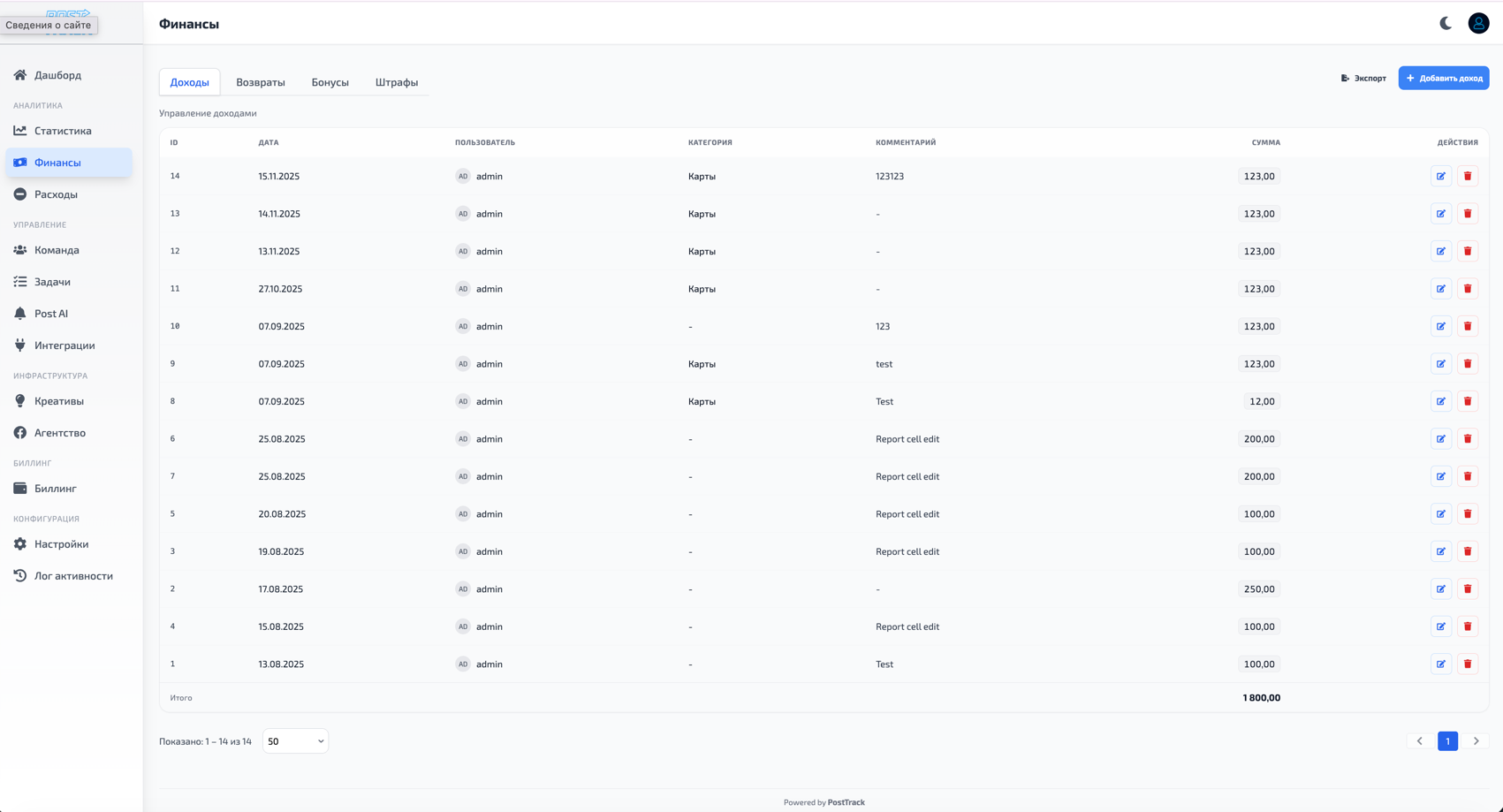
Capabilities
Module supports four types of financial operations:
Revenue
Manual addition of revenue not tracked automatically through integrations.
When to use:
- Direct sales without using main channels
- Additional revenue sources (affiliate programs, referral payments)
- One-time income and non-standard profit sources
- Data correction when discrepancies with actual revenue occur
Parameters:
- Revenue amount
- Operation date
- Description/comment
- Project or campaign (if needed)
Refunds
Tracking refunds to customers.
When to use:
- Payment refunds by customer request
- Chargeback and disputed transactions
- Order cancellations with refunds
- Compensations and reimbursements
Impact:
- Reduce total revenue
- Accounted in net profit calculation
- Displayed in financial reports
Penalties
Penalty sanctions for employees affecting salary calculation.
When to use:
- Violations of internal rules and regulations
- Work errors causing financial losses
- Failure to meet deadlines and KPIs
- Disciplinary sanctions
Parameters:
- Penalty amount
- Application date
- Employee (required)
- Reason/basis
- Project (optional)
Impact:
- Automatically deducted from employee salary
- Accounted in personnel financial reporting
- Displayed in employee personal account
Bonuses
Rewards and additional payments to employees.
When to use:
- Bonuses for goal achievement and plan overperformance
- Rewards for special achievements
- One-time incentives
- Compensations and allowances
Parameters:
- Bonus amount
- Accrual date
- Employee (required)
- Basis/reason
- Project (optional)
Impact:
- Automatically added to employee salary
- Accounted in final payout calculation
- Displayed in personnel reports
Salary Calculation
Employee's final salary is calculated by formula:
Final salary = Base rate + Bonuses - Penalties
All operations with penalties and bonuses are automatically accounted in financial reports and affect final payout amount to employee.
Categories
For convenient grouping of financial operations, use categories. Configure categories in Settings → Categories section.
Important
- Revenue and refunds can be linked to specific users or tracked at project/company level
- Penalties and bonuses must be linked to specific employee and affect their personal salary
- All operations can be edited and deleted if needed
- All changes history saved in Activity Log
- Finance module data used in summary reports and dashboards
Why
- Full control over all company cash flows
- Transparent tracking of revenue and expenses not monitored automatically
- Fair employee motivation system through bonuses and penalties
- Accurate salary calculation considering all allowances and deductions
- Detailed financial analytics across all business areas