Knowledge Base
Internal knowledge base for team. Simplify new employee onboarding, share access, guides and important information directly inside PostTrack.
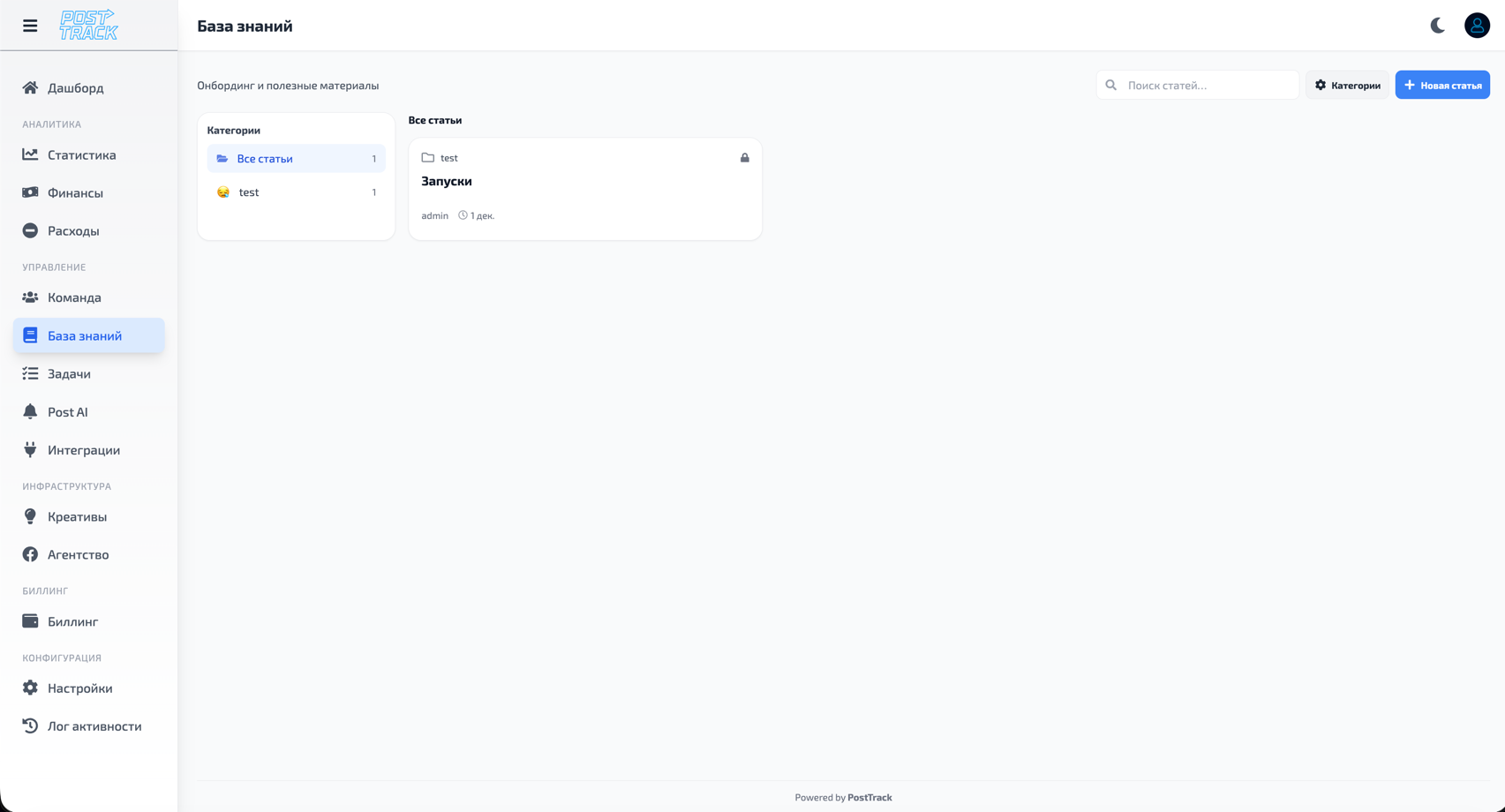
Capabilities
Centralized storage for all important documents, instructions and materials for team.
What you can store:
- Campaign launch instructions
- System work guides
- Service and account access
- Checklists and procedures
- Creative and approach databases
- Team FAQ
- Onboarding materials
- Internal regulations
Benefits:
- All information in one place
- No need for external wiki or Google Docs
- Role-level access control
- Quick base search
- Change history
Knowledge Base Structure
Categories
Organize knowledge by categories for convenient navigation.
Example categories:
- Newcomer onboarding
- Traffic management
- Integration setup
- Service access
- Creative approaches
- Financial procedures
- Technical support
- Rules and regulations
Articles
Create articles with detailed information under each category.
Article capabilities:
- Formatted text (headers, lists, highlighting)
- Image and screenshot insertion
- Embedded videos
- Code blocks for technical instructions
- Data structuring tables
- External resource links
- File attachments
Three-Level Access System
Flexible content visibility control at three levels.
Level 1: Role-Level Permissions
Basic control through role system.
Permission types:
- Full Access - view, create, edit, delete all content
- Management - create and edit articles, manage categories
- View - read available articles only
- No Access - knowledge base hidden
Level 2: Category-Level Access
More precise control at individual category level.
Capabilities:
- Show category only to specific roles
- Open category to specific users
- Hide confidential categories from most
Level 3: Article-Level Access
Most detailed control level for individual articles.
Capabilities:
- Open specific article to individual user
- Provide temporary article access
- Hide article from others in category
Workflow
Creating Category
- Open Knowledge Base section
- Click "Create Category"
- Fill in: name, description, icon
- Configure access
- Save category
Creating Article
- Select category
- Click "Create Article"
- Write: title, content (formatting, images, files)
- Configure access (optional)
- Publish or save as draft
Usage Examples
New Employee Onboarding
Category: Welcome
- Access: all new employees (role "Intern")
Articles:
- "How to Start with PostTrack"
- "First Steps: Account Setup"
- "Where to Find Help"
- "Team Contacts"
Work Guides
Category: Buyer Instructions
- Access: "Buyer", "Team Lead", "Owner" roles
Articles:
- "How to Launch Facebook Campaign"
- "Keitaro Bundle Setup"
- "ROI Optimization: Checklist"
- "Working with Creatives"
Access and Passwords
Category: Service Access
- Access: only "Owner" + "Team Lead" roles
Articles:
- "VPN Access"
- "Ad Cabinet Accounts"
- "API Keys and Tokens"
- "Server Access"
Important
- Security - three-level access system protects confidential information
- Flexibility - configure access as needed for your team
- Simplicity - intuitive editor for creating articles
- History - all changes saved and can rollback to previous versions
- Centralization - no external services needed, everything inside PostTrack
Related Sections
- Team — role and user management for access
- Tasks — can link to articles in tasks
- Activity Log — knowledge base change history