Creatives
Centralized media storage with organization, rating and collaborative use of advertising creatives.
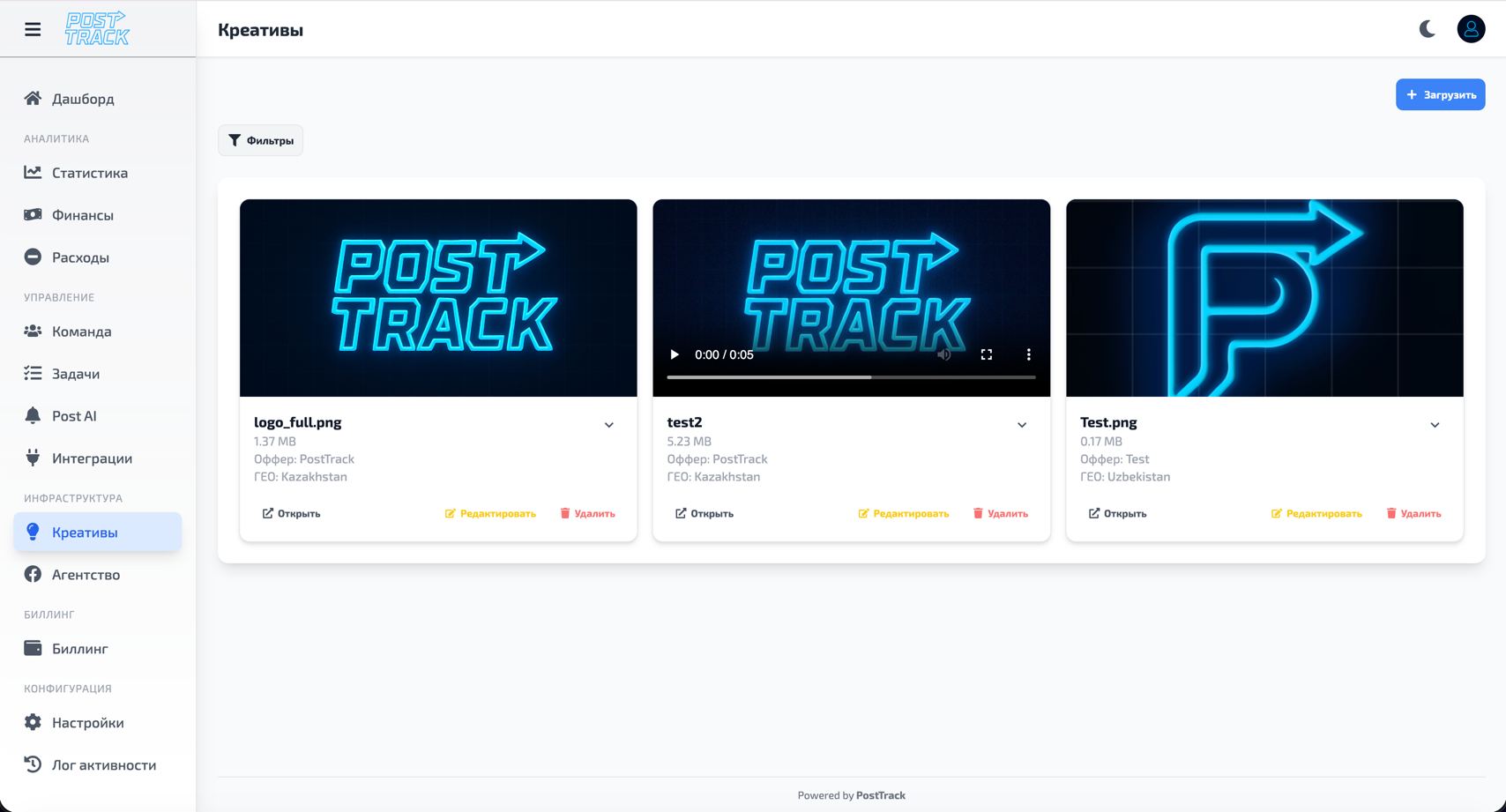
Capabilities
Media Storage
Secure cloud storage for all types of advertising materials:
- Images - banners, pictures, screenshots
- Videos - video creatives, clips, animations
- Documents - presentations, briefs, instructions
- Other formats - any files related to advertising campaigns
File operations:
- File upload (drag & drop or select)
- Media preview directly in system
- File downloads
- Copy direct links for sharing
- Bulk upload and download
Entity Linking
Flexible system for linking creatives with various objects in system (all links optional):
Integrations:
- Keitaro - link to offers, campaigns, flows
- Facebook Ads - link to advertising campaigns
- TikTok Ads - link to creatives in account
- Other sources - any external integrations
Internal entities:
- Projects - group creatives by projects
- Campaigns - link to specific advertising campaigns
- Offers - link to offers and verticals
- Tasks - attach to tasks from Tasks module
Important: All links are optional - you can store creatives without links or link to any number of entities simultaneously.
Organization and Filtering
Geographic division:
- Link to countries and regions
- Geo filter for quick search
- Multi-geo support (one creative for multiple countries)
Search and filters:
- Search by name and description
- Filter by upload date
- Filter by file type
- Filter by linked entities
- Filter by uploading user
- Filter by rating
Rating and Comments
Rating system:
- 5-star rating system
- Creative effectiveness rating
- Average rating from entire team
- Ability to change your rating
Commenting:
- Add comments to creatives
- Discuss effectiveness
- Improvement ideas
- Full comment history
- Mention colleagues (@username)
Collaborative Work
Access control:
- Access separation at assigned user level
- Assign creative owners
- Configure view/edit permissions
- More about permissions in Team section
Sharing:
- Quick link sharing to colleagues
- Public links for external contractors
- Export creatives in various formats
- Create creative collections
Additional Features
Metadata:
- Creative name and description
- Tags for grouping
- Creation and upload date
- Author and last editor
- File size and resolution (for images/videos)
History:
- All file versions
- Who and when made changes
- Comment and rating log
- Link to Activity Log
Workflow
Uploading Creative
- Open Creatives section
- Click "Upload" or drag and drop files
- Specify name and description
- (Optional) Link to projects, integrations, geo
- (Optional) Assign responsible parties
- Save creative
Organizing Library
- Use tags for grouping
- Link to projects and campaigns
- Specify geo for targeted creatives
- Rate effectiveness on 5-star scale
- Add comments with results
Search and Use
- Use filters for quick search
- Sort by rating to find best
- View comments for analysis
- Download or share links
- Copy successful creatives to new campaigns
Important
- Centralized storage - all creatives in one place, accessible to entire team
- Flexible organization - linking to any entities is optional, customize for yourself
- Access control - permission management at user level
- Change history - all actions logged
- Cloud storage - files secure, access from anywhere
Why
- Order - no more lost creatives in chats and drives
- Reuse - quickly find and copy successful materials
- Analytics - ratings and comments help understand what works
- Collaboration - team works with one library
- Time savings - no need to search for files or ask colleagues
- Scaling - easily manage thousands of creatives
Related Sections
- Team — user and permission management
- Tasks — link creatives to tasks
- Integrations — link to external systems
- Activity Log — all changes history