Tasks
Full-featured task manager for team organization. Create tasks, assign executors, track progress and receive notifications in messengers.
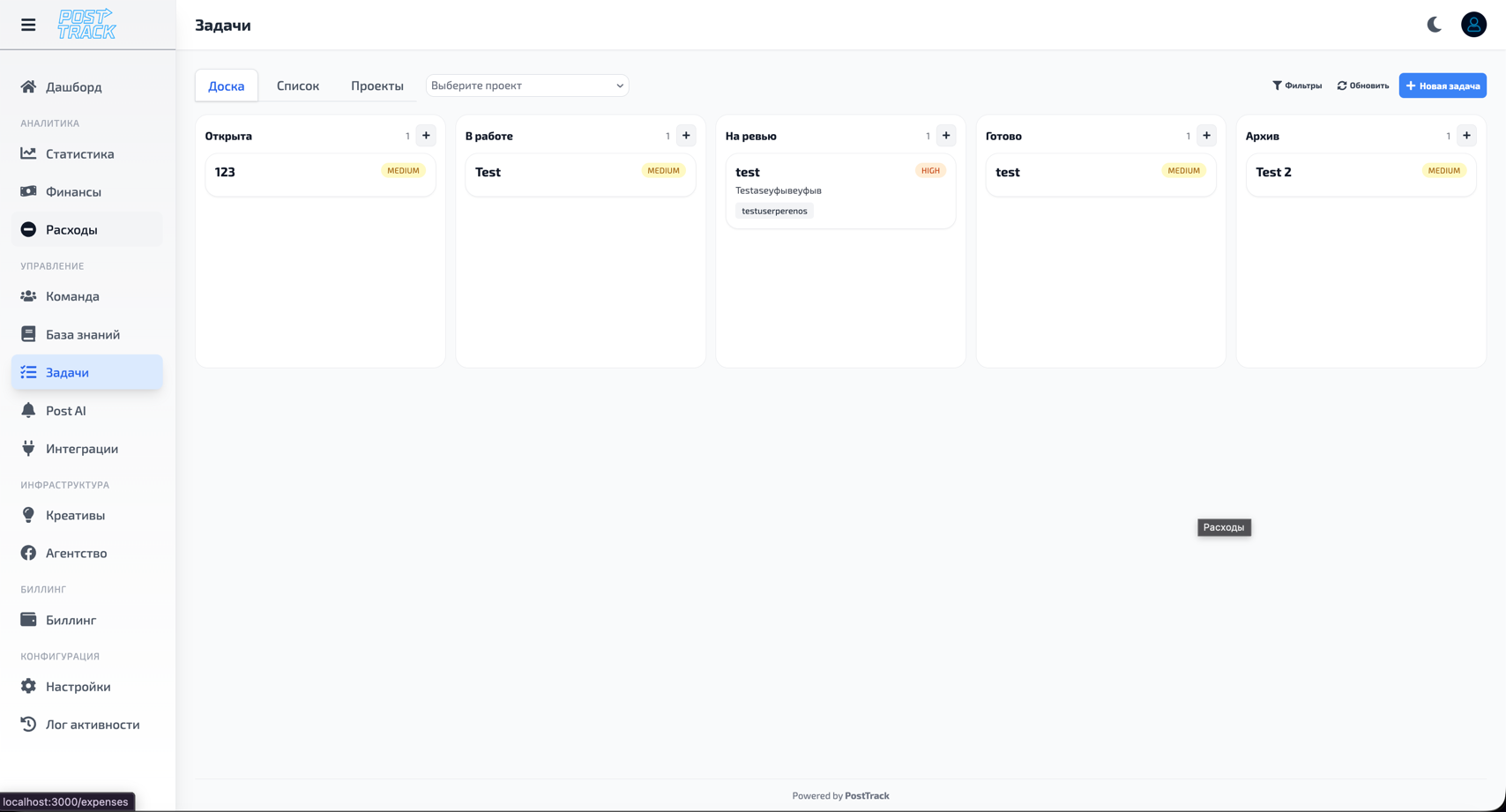
Capabilities
Task Management
Classic task manager functionality:
Create and edit:
- Task name and description
- Assign executor (one or multiple)
- Set deadline
- Priority (low, medium, high, critical)
- Status (new, in progress, under review, completed, cancelled)
- Attach files and links
- Add comments
Organization:
- Group by projects
- Labels and tags for classification
- Subtasks (checklists)
- Task relationships (dependencies)
- Templates for recurring tasks
Filtering and search:
- Filter by executor
- Filter by project
- Filter by status and priority
- Filter by deadlines
- Text search
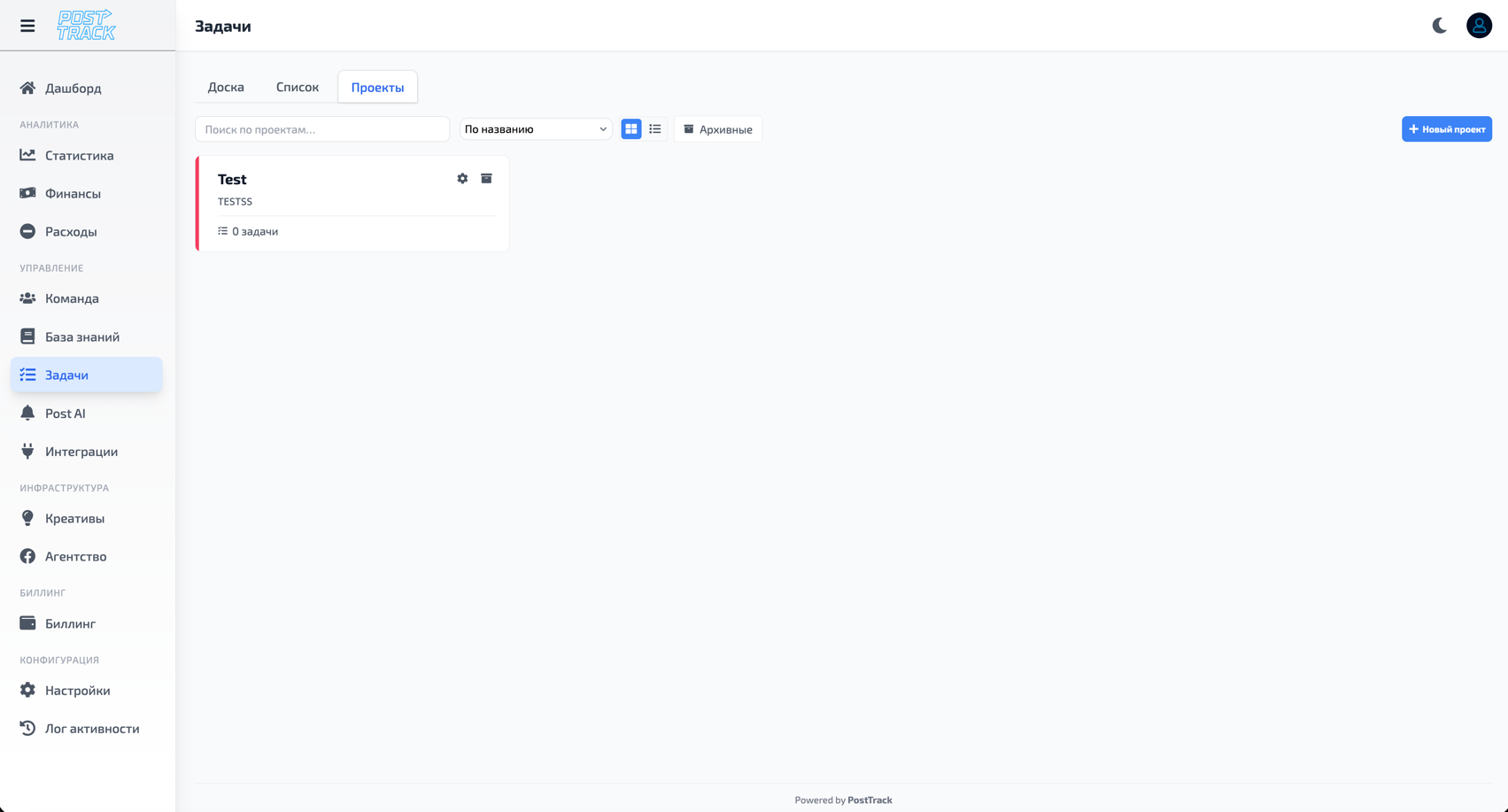
Projects
Divide tasks by projects for convenient work organization.
Project capabilities:
- Create unlimited number of projects
- Project description and goals
- Assign project owner
- Add team members
- Set project deadlines
- Track project progress
Organization:
- Each task linked to project
- Quick switching between projects
- Overview of all project tasks
- Project statistics (completed/in progress/overdue)
Access Control
Flexible permission management system at project and task level.
Project access levels:
- Project Owner - full control over project and all tasks
- Project Member - can create and edit tasks in project
- Observer - view-only for project tasks
- No Access - project and its tasks are hidden
Task access levels:
- Task Author - who created the task
- Executor - who is assigned the task
- Watchers - who monitors execution
- Assigned Users - have access to task
Access configuration:
- More about team and permissions in Team section
- Automatic permission inheritance from project
- Individual setup for each task
- Private tasks (visible only to author and executor)
Notifications
Automatic notifications about task events.
Notification Events
You receive notifications when:
- New task assigned to you
- Status changed on task where you're executor
- Your task deadline approaching
- Comment added to your task
- You mentioned in comment (@username)
- Task overdue
- Task marked as completed
Notification Channels
Where you receive notifications:
- In PostTrack system - notifications in interface
- Email - email messages
- Telegram Bot - messages in Telegram
- Push notifications - to devices
Telegram Integration
Receive task notifications directly in Telegram:
- Set up Telegram Bot integration
- Choose which events to send to Telegram
- Receive instant notifications in messenger
- Quickly navigate to tasks via links
More details: Telegram Integration
Notification Settings
Flexible settings:
- Enable/disable notifications by event types
- Choose channels for each notification type
- Set quiet hours (do not disturb)
- Digest frequency (daily, weekly)
- Notifications only for priority tasks
Workflow
Creating Task
- Open Tasks section
- Click "Create Task"
- Fill in:
- Task name
- Description (optional)
- Select project
- Assign executor
- Set deadline (optional)
- Choose priority
- (Optional) Add files, links, subtasks
- Save task
Working with Tasks
For executor:
- Receive notification about new task
- Change status to "In Progress"
- Complete task
- Leave comments on progress
- Change status to "Completed"
For author:
- Create task
- Track progress
- Receive change notifications
- Verify completion
- Close task or send for revision
Monitoring
Progress tracking:
- Overview of all tasks by projects
- List of tasks with approaching deadlines
- Overdue tasks
- Tasks awaiting review
- Statistics by executors
Integrations
Automatic Task Creation
Tasks can be created automatically:
- From Post AI module when rules trigger
- When critical events occur in system
- On schedule (regular tasks)
- Via API from external systems
Connection with Other Modules
Integration within PostTrack:
- Link to Creatives for media work
- Link to Projects for context
- Mention users from Team
- History in Activity Log
Use Cases
For Buyers:
- Tasks for launching and optimizing campaigns
- Pre-launch checklists
- Creative testing tasks
- Project deadline control
For Designers:
- Creative creation tasks
- Material review and edits
- Creative task planning
- Request prioritization
For Managers:
- Set team goals
- Task completion control
- Workload distribution
- Productivity analysis
For Project Managers:
- Project planning
- Decompose into tasks
- Team coordination
- Progress tracking
Important
- Simplicity - familiar task manager interface, quick learning
- Flexibility - customize projects and tasks for your processes
- Access control - permission separation at project level
- Notifications - don't miss important events
- Integrations - connection with Telegram and other tools
- History - all changes recorded in system
Why
- Organization - all team work in one place
- Transparency - see who's working on what
- Control - track deadlines and priorities
- Communication - discuss tasks in context
- Efficiency - fewer "what to do?" questions, more results
- Unified ecosystem - tasks linked to other PostTrack modules
Related Sections
- Team — user and permission management
- Post AI — automatic task creation by rules
- Creatives — link media to tasks
- Telegram Integration — messenger notifications
- Activity Log — task change history