Billing
Internal team billing for managing employee salaries, wallets, invoicing and storing financial information. Ensures complete transparency of settlements between company and employees.
Admin Panel
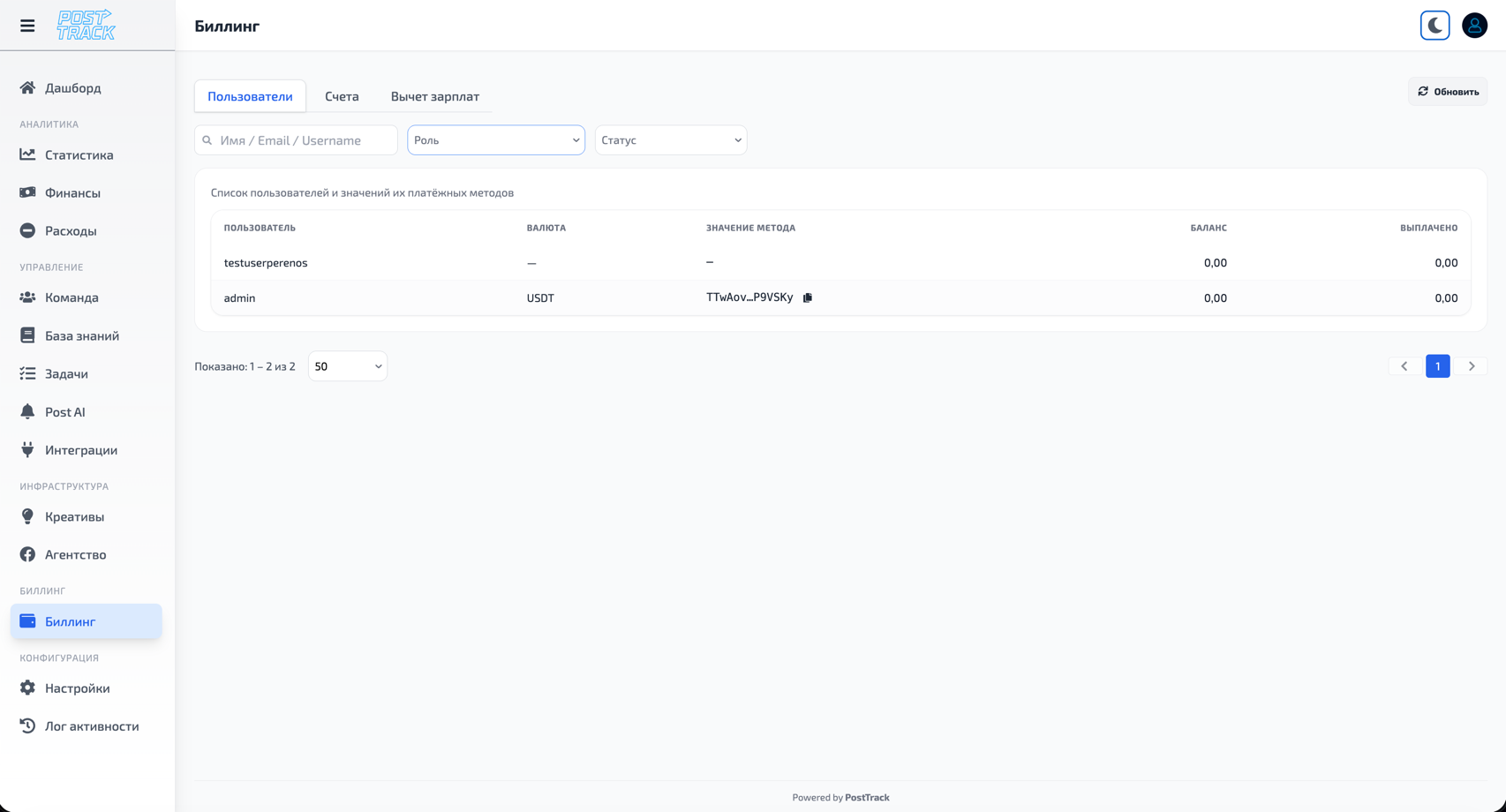
Full control over team finances for managers and HR.
Administrator Capabilities
Salary calculation setup:
- Flexible salary calculation system for each employee
- Formula selection:
- Fixed rate - constant amount per period
- Revenue percentage - percentage of project/company revenue
- Grid - progressive scale based on performance
- Combined - fixed + percentage or other combinations
- Payment period setup (weekly, bi-weekly, monthly)
- Link to specific projects or overall revenue
- Automatic recalculation when metrics change
Salary management:
- View all employees and their salary data
- Base rates and final payment calculations
- Track bonuses and penalties per employee
- Salary change history
- Mass payouts for team
Wallets and payment details:
- View payment details of all employees
- Manage payout methods (cards, crypto wallets, accounts)
- Verify and confirm wallets
- Payment details update history
Invoicing:
- Create salary payout invoices
- Bulk invoice generation
- Detailed breakdown per employee
- Export data for accounting
- Archive of all issued invoices
Financial information:
- Total payroll fund
- Upcoming payments summary
- Bonus and penalty statistics
- Personnel cost dynamics
- Analytics by departments and projects
Billing settings:
- Payment periods (weekly, bi-weekly, monthly)
- Payment currencies
- Invoice templates
- Payment notifications
- Payment system integration
User Panel
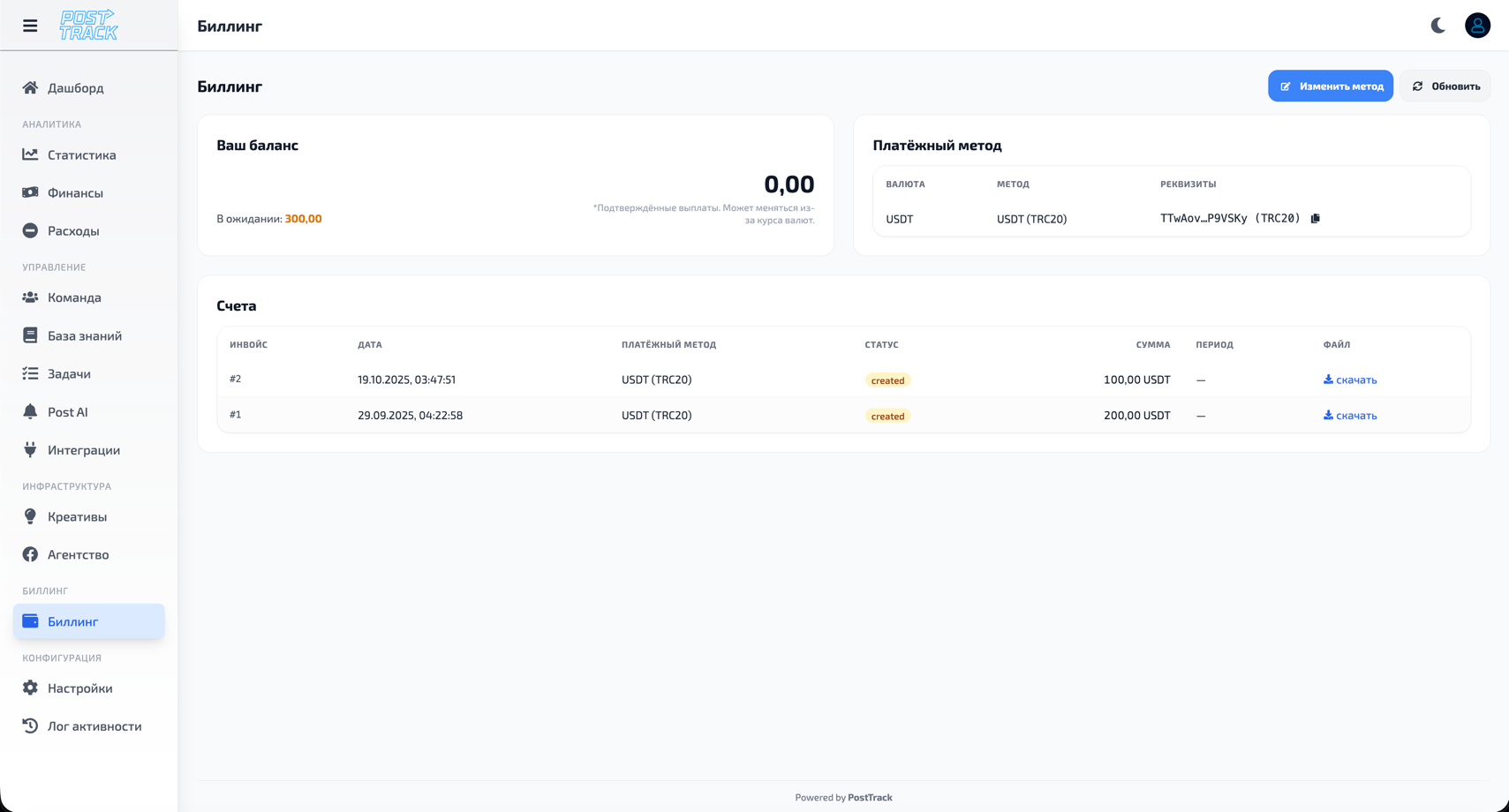
Employee's personal account with complete salary calculation transparency.
Employee Capabilities
Salary view:
- Base rate
- Accrued bonuses with reason descriptions
- Applied penalties with justification
- Total amount payable
- Calculation formula:
Base rate + Bonuses - Penalties
Details:
- Breakdown by periods (current month, previous months)
- History of all accruals and deductions
- Bonus and penalty application dates
- Administration comments
- Link to projects and tasks
Wallet management:
- Add payment details
- Support for multiple payout methods:
- Bank cards
- Bank accounts
- Cryptocurrency wallets
- Electronic payment systems
- Set priority payout method
- Edit and delete wallets
Payment history:
- All received payments
- Dates and amounts
- Payment statuses
- Payout method
- Download confirmations
Transparency:
- Visibility of all operations affecting salary
- Understanding how final amount is formed
- Access to change history
- New accrual notifications
Billing Workflow
For Administrator
-
Salary calculation:
-
Invoicing:
- Select period and employees
- Verify data correctness
- Generate invoices for accounting
- Export in required format
-
Processing payments:
- Select invoices to pay
- Use employee wallet details
- Mark payment as completed
- Notify employees
For Employee
-
Check accruals:
- Regular review of current salary
- Monitor bonuses and penalties
- Understand reasons for changes
-
Manage payment details:
- Add/update wallet for payouts
- Verify data accuracy
- Change priority payout method
-
Receive payments:
- Accrual notification
- Receive funds to specified wallet
- Check in payment history
Salary Calculation Formulas
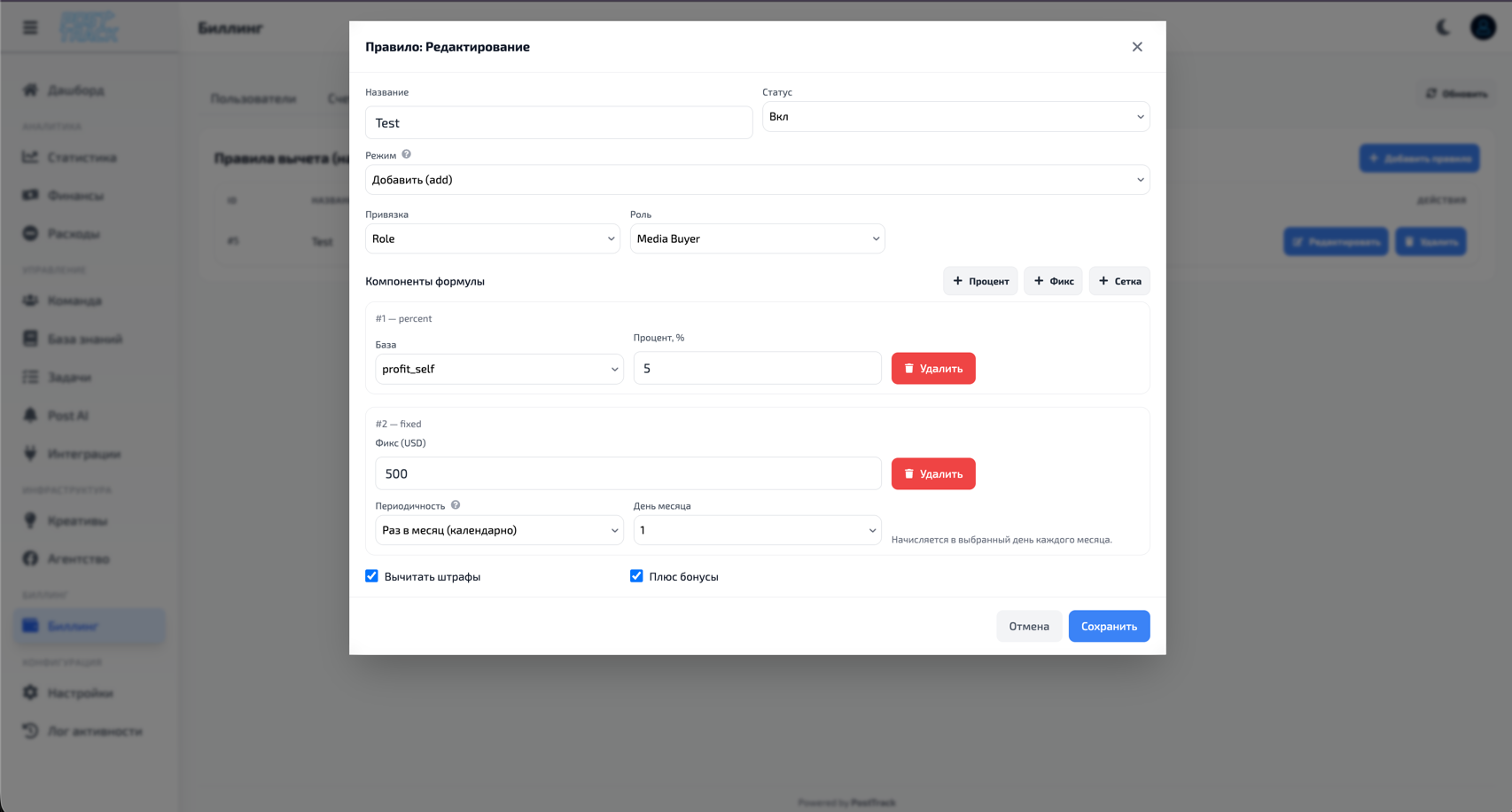
Flexible employee compensation setup system with various calculation formulas.
Fixed Rate
Constant amount for chosen period regardless of results.
When to use:
- Stable positions (administrators, accountants)
- Beginning employees
- Fixed salary without variable part
Setup:
- Amount: specify fixed amount
- Period: week, 2 weeks, month
- Currency: select payout currency
Example:
Fixed rate: $1000 / month
Final salary = $1000 + bonuses - penalties
Revenue Percentage
Percentage rate from project or entire company revenue.
When to use:
- Sales managers
- Buyers and media buyers
- Employees on projects with variable income
- Motivation for revenue increase
Setup:
- Percentage: from 1% to 100%
- Revenue source: specific project or entire company
- Calculation period: which period to consider revenue
- Minimum guarantee (optional)
Example:
Percentage: 5% of project revenue
Project revenue for month: $50,000
Final salary = ($50,000 × 5%) + bonuses - penalties = $2,500
Grid (Progressive Scale)
Rate depends on achieving certain indicators (KPI, sales volume, lead count).
When to use:
- Tiered motivation
- Progressive compensation with performance growth
- Results gamification
Setup:
- Define levels and corresponding rates
- Metric for calculation (revenue, leads, conversion)
- Indicator evaluation period
Example:
Level 1: up to $10,000 revenue → 3%
Level 2: $10,001 - $25,000 → 5%
Level 3: from $25,001 → 7%

Revenue: $30,000
Calculation:
- $10,000 × 3% = $300
- $15,000 × 5% = $750
- $5,000 × 7% = $350
Final salary = $1,400 + bonuses - penalties
Combined Formula
Combination of several calculation types for flexible motivation system.
When to use:
- Guaranteed salary + result-based motivation
- Complex compensation schemes
- Balance stability and motivation
Combination options:
- Fixed + Percentage - base rate + revenue percentage
- Fixed + Grid - salary + progressive bonuses
- Percentage + Grid - percentage with progressive scale
- All together - fixed + percentage + grid
Example (Fixed + Percentage):
Fixed rate: $500 / month
Percentage: 3% of revenue
Revenue: $40,000

Calculation:
Final salary = $500 + ($40,000 × 3%) + bonuses - penalties
Final salary = $500 + $1,200 + bonuses - penalties = $1,700
Period Setup
Choose frequency of salary calculation and payout:
- Weekly - every week (52 payments per year)
- Bi-weekly - every two weeks (26 payments per year)
- Monthly - once per month (12 payments per year)
- Custom period - your own interval
Important: When changing period, formulas automatically recalculate proportionally.
Important
- Full transparency - every employee sees their salary breakdown
- Data security - payment details stored encrypted
- Change history - all operations logged in Activity Log
- Flexible settings - support for various currencies and payout methods
- Automation - system automatically calculates final amounts based on base rates, bonuses and penalties
Why
- Calculation transparency - employees always understand how their salary is formed
- Time savings - automatic calculation instead of manual spreadsheets
- Team motivation - bonus visibility encourages better results
- Centralized storage - all financial data in one place
- Payout convenience - storing payment details simplifies salary transfer process
- Cost control - administration sees complete picture of payroll fund